
Keeping Your Child Safe Online
Smartphone Free Childhood
Please take a look at the video below from Smartphone Free Childhood - highlighting:
How smartphones changed the world
➤ How they’re designed to grab your attention
➤ The hidden superpowers you unlock by waiting to give your children a smartphone
➤ Teens on why smartphones aren’t all they’re cracked up to be
Watch it together – and share it far and wide. We hope it’ll be a useful conversation starter for any family feeling the smartphone pressure.
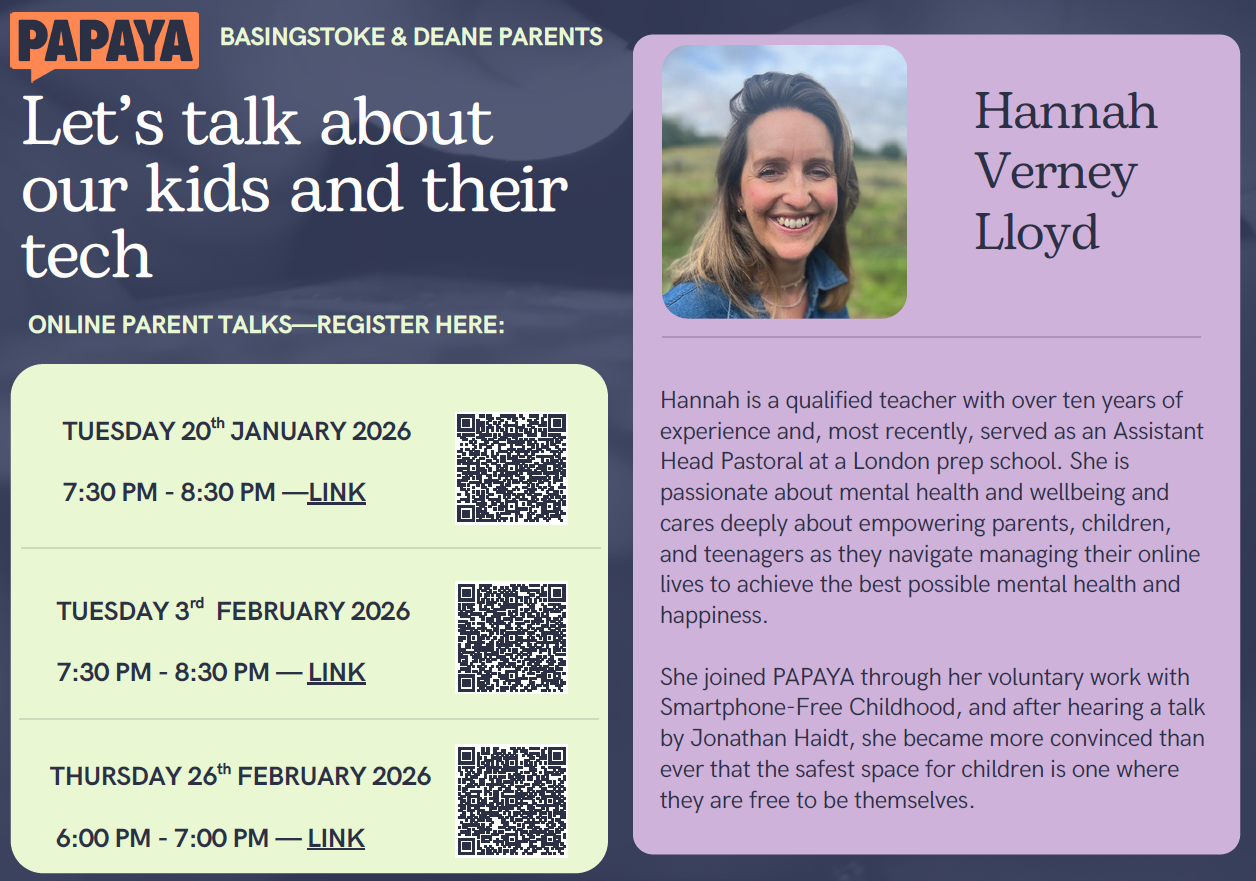
Keeping your child safe online - Parent/carer workshop 11th February 2025
Click on the link to access the PowerPoint and resources from the most recent parent workshop
Parent/carer workshop - 19th September 2024
Keeping your child safe online - key points
- Set boundaries in the online world just as you would in the real world.
- Talk to your child about what they are up to online. Don’t leave them alone!
- Keep up-to-date with your child’s development online. How are they communicating with others online?
- Keep all equipment that connects to the internet in a family space.
- Know what connects to the internet and how.
- Use parental controls on devices that link to the internet, such as the TV, laptops, computers, games consoles and mobile phones.
- Lock down sites so that the information is not public.
- Obey age restrictions, particularly on social media sites.
See what the NSPCC has to say here!
In-game chat: A guide for parents and carers from CEOP
How to set up a supervised experience for your child on YouTube
Useful links:
Connected devices
There are so many connected devices on the market now, each with their own unique way of setting up parental controls and restrictions. Equally, the functionality of these devices can be daunting with chat, game downloads, in-app purchases, third party apps on the devices (such as social media, Netflix) etc.
Firstly, look up the device on YouTube using a simple 'how to' query e.g. 'how to restrict in-app purchases on Playstation 4'. Secondly, the wonderful people at Internet Matters have a one stop shop for setting up devices, which can be found here.
As well as devices, parents also need advice according to the age of their children. Again, Internet Matters has this covered for children aged 0-5, 6-10, 11-13 and 14+ here.
The Child Exploitation and Online Protection Command (CEOP) have a nice, simple guide for parents to help with understanding gaming here.
National Online Safety Team Guides
- Top tips for building cyber resiliencePDF File
- Parent guide to Amazon fire tabletsPDF File
- Parent guide to Google chromebookPDF File
- How to be green with your techPDF File
- Parent guide to InstagramPDF File
- Parent guide to Loot boxesPDF File
- Online safety tips for going back to schoolPDF File
- Parent guide to RedditPDF File
- Parent guide to RobloxPDF File
- 12 ways to champion equality onlinePDF File
- Parent guide to SteamPDF File
- Parent guide to MinecraftPDF File
- Parent guide to EsportsPDF File
- Parent guide to TwitchPDF File
- Parent guide to virtual realityPDF File
- Parent guide to the MetaversePDF File
- Parent guide to WhatsAppPDF File
- Parent guide to cross-platform sharing of inappropriate contentPDF File
- Parent guide to DiscordPDF File
- Parent guide to Youtube KidsPDF File
- Loneliness online: what causes it and ways to feel betterPDF File
- Parent guide to group chatsPDF File
- Parent guide to spotting ads on social mediaPDF File
- Parent guide to Facebook messengerPDF File
- Parent guide to the Ofcom children and parents: media use and attitudes report 2022PDF File
- Parent guide to FacebookPDF File
- Parent guide to phone scamsPDF File
- Parent guide to supporting children to deal with upsetting contentPDF File
- Brighten someone's day onlinePDF File
- Parent guide to YuboPDF File
- Check in with your friendsPDF File
- 10 top tips for respect online: inspiring children to build a better digital worldPDF File
- 10 top tips for respect online: a digital world for everyonePDF File
- Parent guide to YouTubePDF File
- Parent guide to horror gamesPDF File
- Parent guide to ReplikaPDF File
- Parent guide to Fortnite chapter 3PDF File
- Parent guide to setting up new devices for childrenPDF File
- Parent guide to age-inappropriate contentPDF File
- Parent guide to CrypocurrencyPDF File
- 10 ways you can show kindness onlinePDF File
- Parent guide to SnapchatPDF File
- Parent guide to Squid GamePDF File
- Parent guide to TikTokPDF File
- Parent guide to social botsPDF File
- Parent guide to NetflixPDF File
- Parent guide Pokemon GoPDF File
- How to set up parent controls for apps - iPhonePDF File
- How to set up parent controls for apps - android devicesPDF File
- Parent guide to social media scamsPDF File
- Parent guide to Rocket LeaguePDF File
- Parent guide to ValorantPDF File
- Online fair play: the dos and don'ts of online conductPDF File
- Parent guide to sports bettingPDF File
- Let's Tackle Online Hate TogetherPDF File
- Parent guide to TextMePDF File
- Parent guide to email scamsPDF File
- Parent guide to ChatroulettePDF File
- Parent guide to Rec RoomPDF File
- How to prepare for an emergency with your Google phonePDF File
- How to set up emergency mode on your SamsungPDF File
- How to make an emergency SOS call on an iPhonePDF File
- Parent guide to SignalPDF File
- Parent guide to ClubhousePDF File
- Parent guide to Avakin LifePDF File
- Keeping children safe from cyber crimePDF File
- Supporting children to express themselves safely onlinePDF File
- Parent guide to WechatPDF File
- Parent guide to ebayPDF File
- Parent guide to fake newsPDF File
- 10 online safety tips for children with new devicesPDF File
- Parent guide to Call of Duty Black Ops Cold WarPDF File
- Parent guide to the National Online Safety AppPDF File
- Parent guide to Playstation 5PDF File
- Parent guide to Xbox Series X/SPDF File
- Parent guide to Among UsPDF File
- Parent guide to League of LegendsPDF File
- Parent guide to TellonymPDF File
- Parent guide to persuasive designPDF File
- Parent guide to music streaming apps and sitesPDF File
- Parent guide to protecting personal dataPDF File
- Conversation starters about online contentPDF File
- How not to be a screen zombiePDF File
- 14 ways to be kind onlinePDF File
- Parent guide to online groomingPDF File
- Parent guide to NetflixPDF File
- Parent guide to Disney+PDF File
- Parent guide to ZoomPDF File
- Parent guide to HousepartyPDF File
- How to clean devicesPDF File
- Parent guide to OmeglePDF File
- Parent guide to hidden photo appsPDF File
- Supporting children's mental health - 10 conversation startersPDF File
- 12 social media online safety tipsPDF File
- 12 smartphone online safety tipsPDF File
- Online safety tips for childrenPDF File
- Parent guide to Call of Duty Modern WarfarePDF File
- Parent guide to CyberbullyingPDF File
- Parent guide to Sadfishing.pdfPDF File
- Parent guide to Fortnite Chapter 2PDF File
- Parent guide - do video games actively cause violent behaviour.PDF File
- Parent guide to social pressures linked to 'appearance'PDF File
- Parent guide to social pressures linked to 'influencers'PDF File
- How to manage what your children watch on TV - online safety guidePDF File
- Parent Guide to TelegramPDF File
- Social Media and Mental Health Guide - Positives and NegativesPDF File